Chapter 16 Pareto Charts for Ranking Problems
The Pareto chart, named after Vilfred Pareto, was invented by Joseph M. Juran as a practical tool for identifying the most important causes of a problem. It is widely used in quality improvement to prioritise efforts by highlighting the categories that contribute most to an outcome.
In this example, we use the dataset on adverse events causing harm to patients, collected using the Global Trigger Tool method (Plessen et al. 2012).
## 'data.frame':    131 obs. of  2 variables:
##  $ severity: chr  "E" "F" "E" "F" ...
##  $ category: chr  "Pressure ulcer" "Gastrointestinal" "Infection" "Infection" ...
The paretochart() function from the qicharts2 package takes a categorical vector as input and produces a Pareto chart as shown in Figure 16.1.

Figure 16.1: Pareto chart of patient harm.
In a Pareto chart, the bars represent the counts in each category, while the curve shows the cumulative percentage across categories. In this example, almost 80% of harms arise from just three categories: gastrointestinal, infection, and procedure.
Figure 16.2 shows a Pareto chart of harm severity. This chart illustrates that nearly all events resulted in temporary harm (categories E-F).
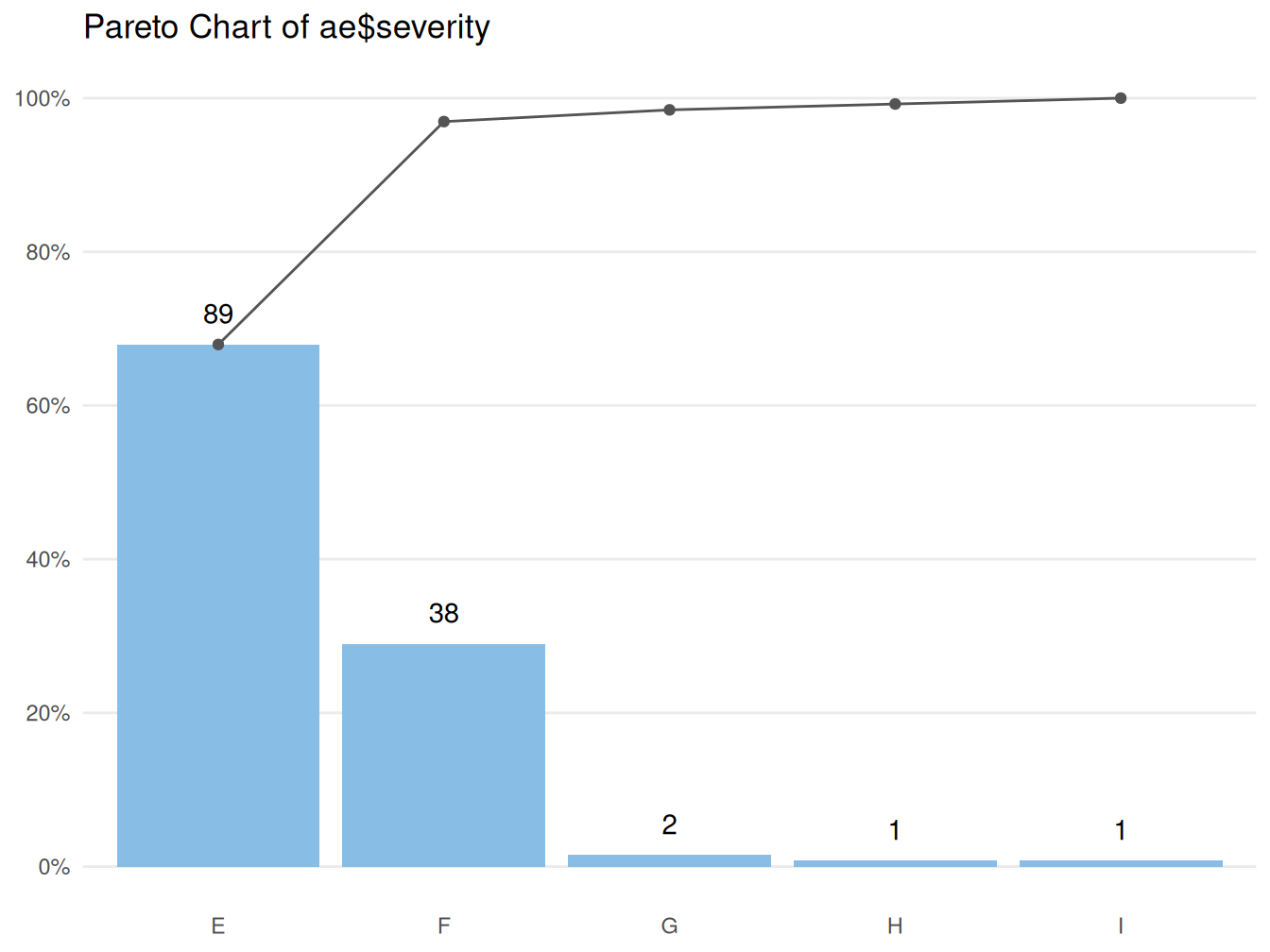
Figure 16.2: Pareto chart of harm severity: E-I, where E-F = temporary harm, G-H = permanent harm, and I = fatal harm.
The paretochart() function expects a character or factor vector as input. However, data are often already aggregated into tabular form:
          category count
1             Fall     1
2 Gastrointestinal    40
3        Infection    34
4       Medication    18
5            Other     4
6   Pressure ulcer     5
7        Procedure    29
To construct a Pareto chart from tabulated data, we must first convert the counts back into a vector. This can be done using the rep() function, which repeats each category according to its frequency:
# make vector from counts
ae.cat <- rep(ae.tbl$category, ae.tbl$count)

# show first six elements of vector
head(ae.cat)
## [1] Fall Gastrointestinal Gastrointestinal Gastrointestinal
## [5] Gastrointestinal Gastrointestinal
## 7 Levels: Fall Gastrointestinal Infection Medication Other ... Procedure
Figure 16.3: Pareto chart constructed from tabular data.
In summary, the Pareto chart is a simple but powerful tool for identifying the most common causes of a problem. In many situations, a large proportion of problems can be attributed to a relatively small number of causes. In the example above, reducing gastrointestinal harm (most often obstipation) and hospital-acquired infections would substantially reduce the overall rate of adverse events.